Set up HawkSoft Sync
Bring your existing HawkSoft clients into RiskAdvisor so client pushes match an existing record instead of creating duplicates.
Written By David Watson
Last updated About 2 hours ago
HawkSoft Sync brings your existing HawkSoft clients into RiskAdvisor. This lets RiskAdvisor match a client you already have in HawkSoft instead of creating a duplicate when you push. This guide is for agency admins.
Turn on Sync before you use Direct Create. Sync is what lets RiskAdvisor recognize an existing HawkSoft client and update it instead of creating a second record.
Before you start
A RiskAdvisor Growth or Premium plan
Admin access to Integration settings
The HawkSoft Partner API connected, with the Client Read scope (see the Direct Create setup guide)
Step 1: Turn on Automatic Sync
Go to Settings > Integrations > HawkSoft.
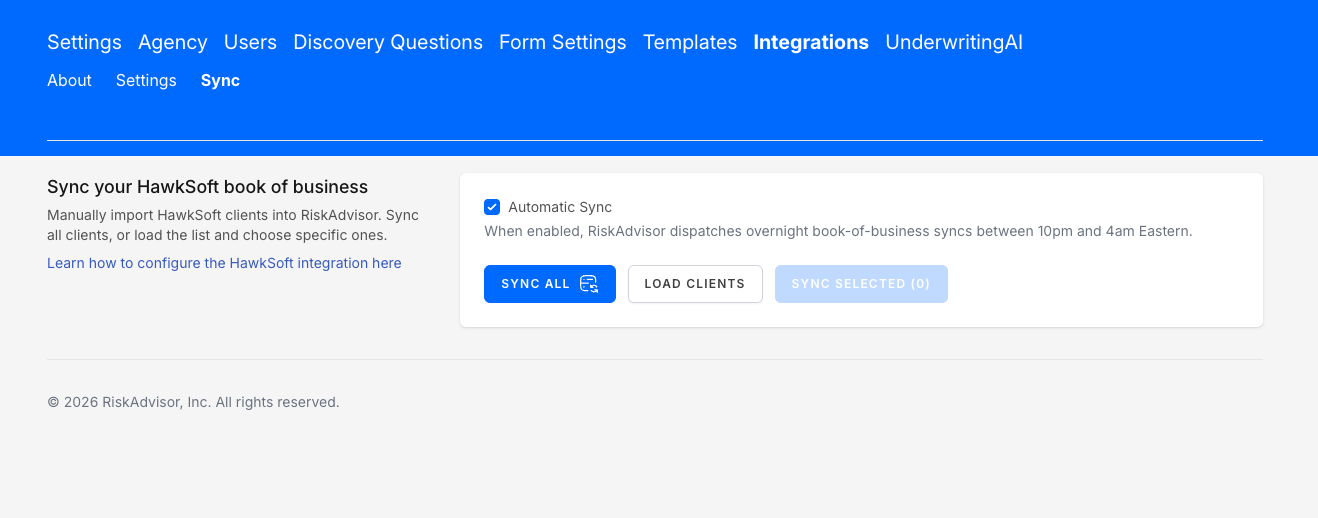
Open the Sync tab.
Turn on Automatic Sync.
Step 2: Load and sync your existing clients
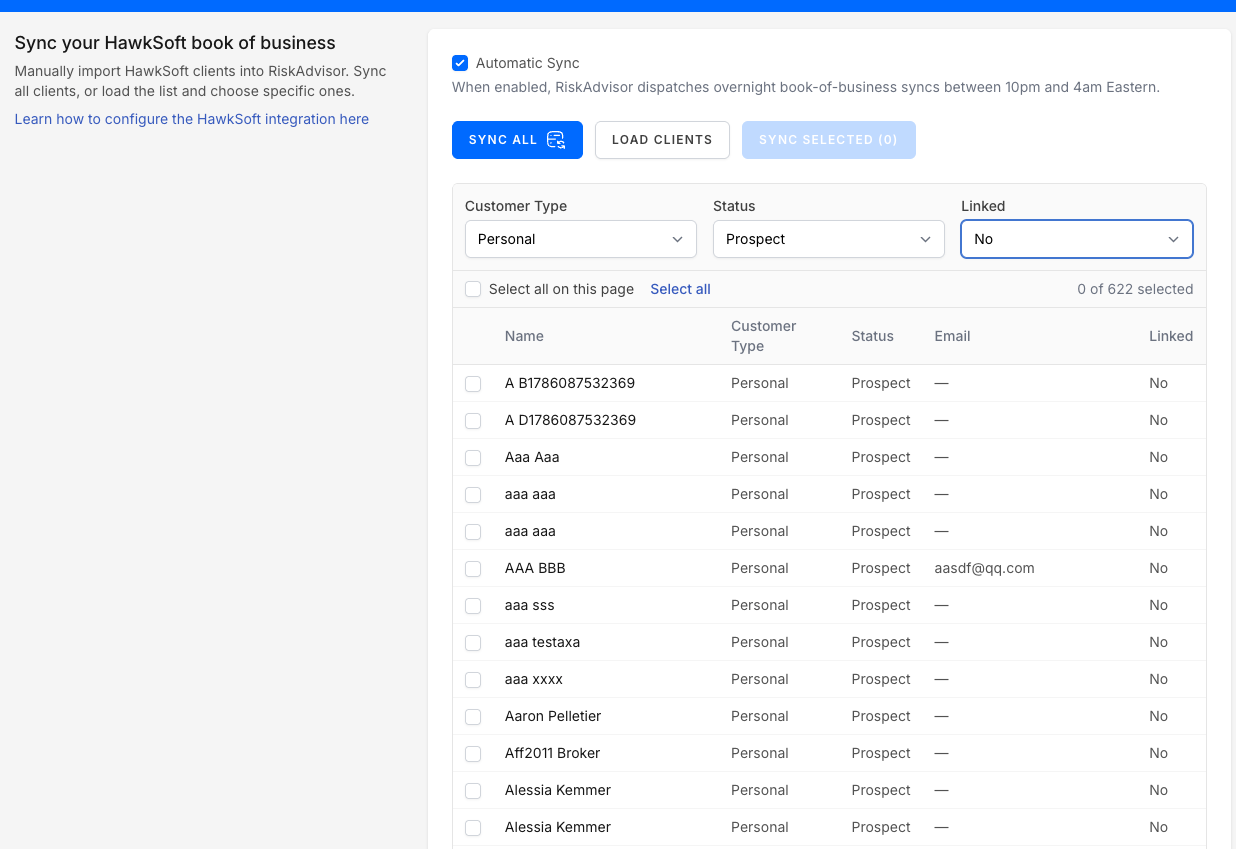
Click Load clients.
Choose what to bring in. Click Sync all to bring in every client, or select specific clients and click Sync selected.
Most agencies sync all of their clients the first time, so RiskAdvisor has a complete picture before any push.
Step 3: Confirm a client synced
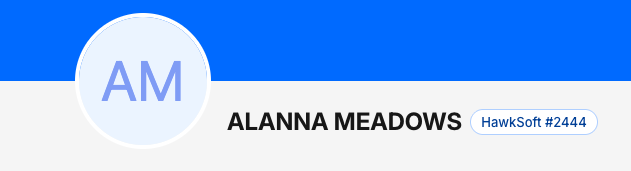
Open a client profile. A synced client shows a HawkSoft badge with their HawkSoft client number, so you know the record is linked.
How ongoing sync works
After the first sync, RiskAdvisor syncs your HawkSoft clients automatically overnight. You do not need to load them again.
What Sync does not do
Syncing a client brings their record into RiskAdvisor. It does not create a RiskProfile for them. You still start a RiskProfile when you are ready to quote.
FAQ
Why should I turn on Sync?
Why should I turn on Sync?
It prevents duplicates. When RiskAdvisor already knows a client exists in HawkSoft, a push updates that client instead of creating a second one.
Do I have to sync every client?
Do I have to sync every client?
No. You can select specific clients and use Sync selected. Most agencies sync all the first time for a complete match.
How often does it sync after that?
How often does it sync after that?
Automatically overnight. There is no custom interval setting yet. If you want control over timing, send it through feedback.
Does syncing create a RiskProfile?
Does syncing create a RiskProfile?
No. Sync links the client record only. You create the RiskProfile when you quote.
Was this helpful?
Still need help? Ask the team