PL Rating Bridge Link
Written By David Watson
Last updated 9 days ago
To finalize the connection from RiskAdvisor to PL Rating you will need to bridge the information over to PL Rating.
There are a few ways to handle this.
Option 1: Launch PL Rating from the Pop Up
After completing a RiskProfile and clicking Save & Send, a banner will appear just below the address bar.
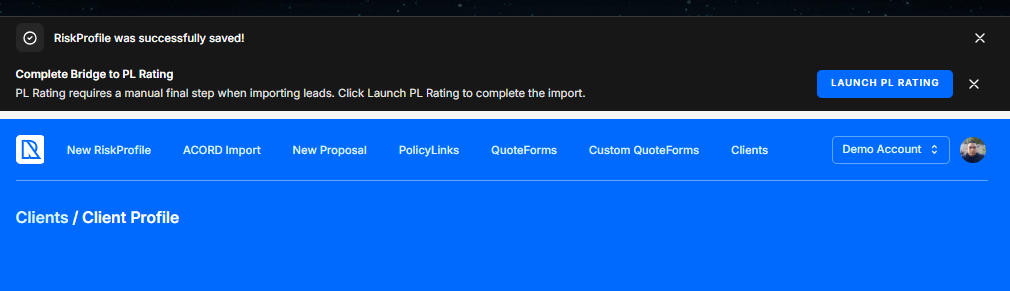
Option 2: Launch PL Rating from the Risk Profile
This is the easiest and most reliable option
Once you complete a Risk Profile you will be redirected to the Client Profile screen.
Step 1: Click on the Risk Profile
Step 2: Click on the 3 dots ⠇
Step 3: Click on Launch PL Rating option

Option 3: Launch PL Rating from the Submission Summary/VA Summary Email
The person designated as the Return To Quotes on the Review & Send Page will receive a Submission Summary email. There will be a link in the body of this email that will allow you to Launch PL Rating.
If you are sending a Quote Request to a 3rd party to handle your quoting, they will also receive an email with the same link to handle the Launch PL Rating process for you.
For AI Help purposes, PL Rating can sometimes be referred to as PLR.
Was this helpful?
Still need help? Ask the team